Projects#
New project#
New projects can be created by proceeding to File and then click New Project.
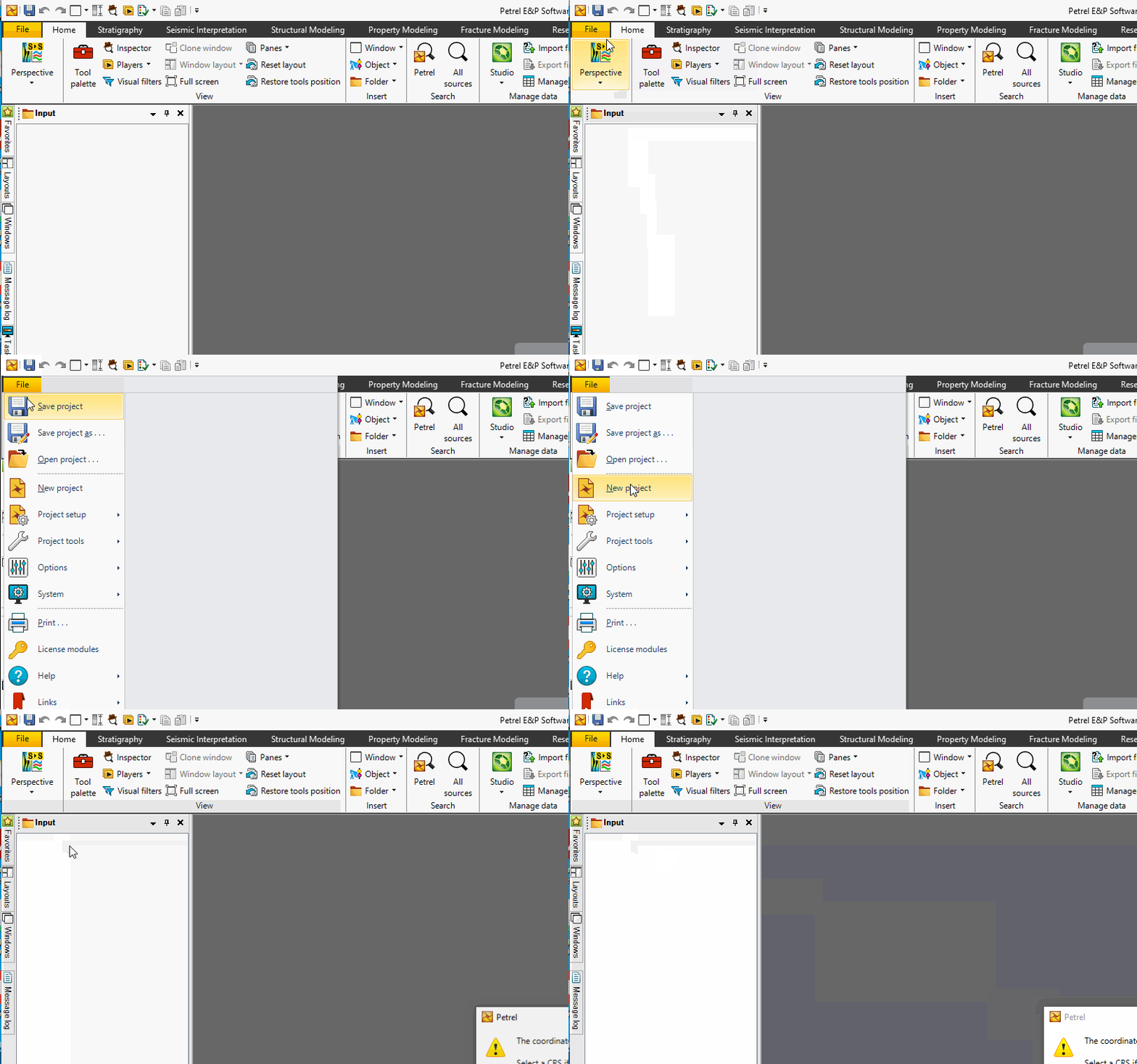
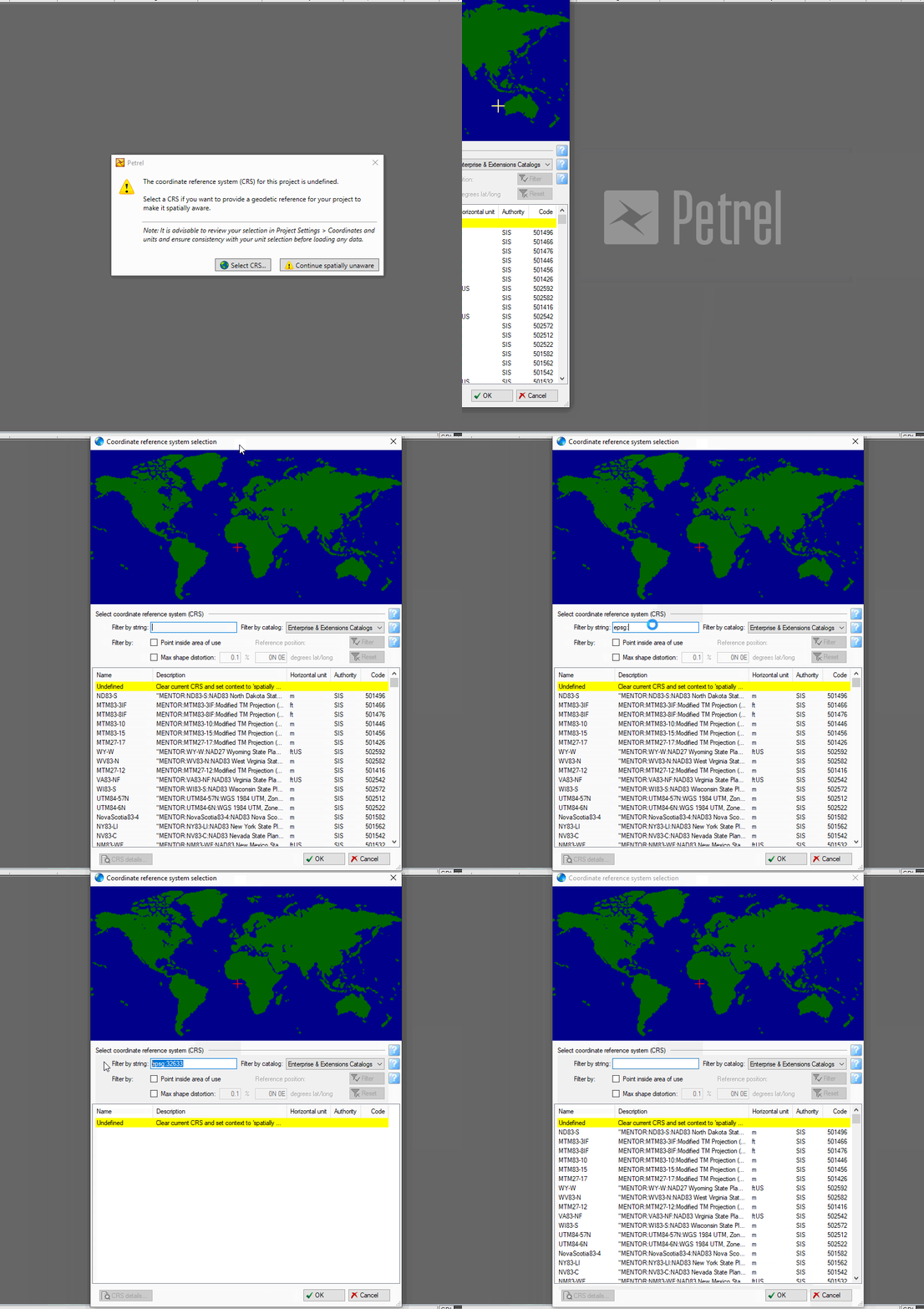
If not previously set, you will be prompted for a coordinate reference system (CRS). Example CRSs are EPSG:32633 (WGS84 UTM33N) or EPSG:23033 (ED50 UTM33). Find either in the popup, then press OK once you are done to initialise the project.
Opening a project#
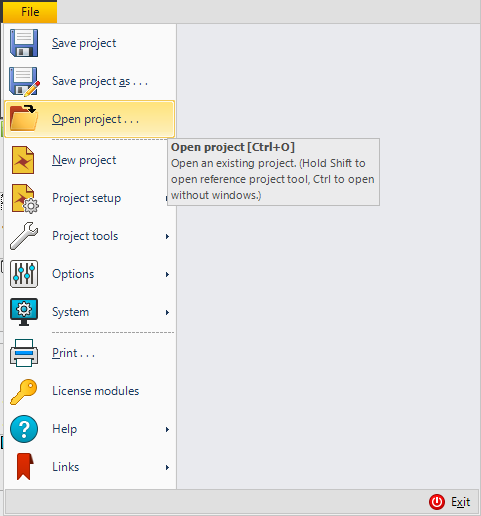
Fig. 3 Use CTRL + O to instantly open a project, alternatively proceed to File and then click Open Project.#
Saving a project#
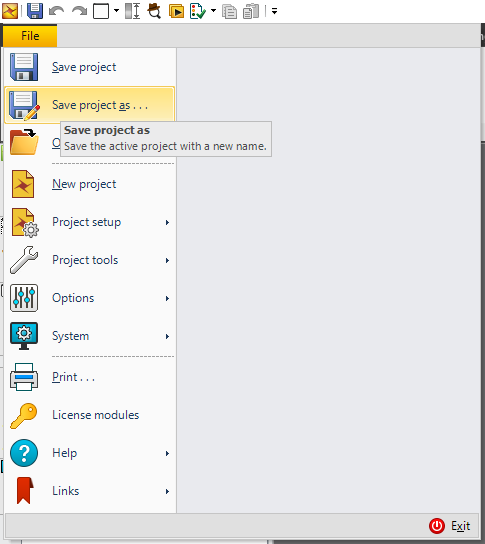
Fig. 4 Use CTRL + S to instantly save the project, or Save As to save the project to a drive other than your C (OS) drive.#
Save often! Keep a backup!
You are strongly encouraged to save a backup of the project locally or on an external drive; don’t forget to save often in case of unexpected crashes.